


GD-01/GD02
Choose this for the standard GD radio family with the small central display and six preset buttons along the bottom. Camera presence is answered separately.

You've got a
with any Premium kit
Who are you shopping for today?
Claim your
with any Premium kit


Australia’s Car Radio Experts
 0
0
 1800 114 331

 Ask an expert
 1800 114 331

 Ask an expert
Australia’s Car Radio Experts


 Exact vehicle fitment
Made for the Australian i30 GD dashboard
Replace the dated factory radio with a matched 9-inch Novo Nav screen. Choose the factory radio that looks like yours, tell us whether a reverse camera is fitted, and receive a kit prepared for your dashboard.

Matched to the dashboard in front of you
Australian i30 GD and GD Series II vehicles were sold with several factory-radio layouts. They can look similar at a glance but use different fascia shapes and integration arrangements, so the product page shows the three customer-identifiable families instead of asking for plugs or technical codes.
Select the closest factory-radio photo and confirm whether the existing screen displays a reverse camera. Those two answers let the correct setup be prepared before dispatch.
Three factory-radio families
The year alone does not identify every connection or fascia. Compare the knobs, screen, button rows and upper disc slot with these photos.
Choose this for the standard GD radio family with the small central display and six preset buttons along the bottom. Camera presence is answered separately.

Choose this for the later touchscreen-style GD-03 face with fewer side buttons and the separate VOICE button below the display.

Choose this for the large factory navigation screen with the wide disc slot above it and MAP/NAV buttons beside the display.
Your phone, without the cable routine
Connect a compatible iPhone or Android phone wirelessly and use supported apps through Apple CarPlay or Android Auto. Navigation, music, podcasts, calls and messages appear in the familiar phone-based driving interface, with voice assistance available for common tasks.
Some later GD-03 vehicles received factory phone-projection software. This upgrade is for drivers who also want the larger 9-inch display, the Novo Nav Android system and a refreshed dashboard interface.
Keep the camera already in the hatch
If the current factory screen displays a reverse camera, select `Yes` and the retention setup will be prepared for it. The image switches onto the new screen when reverse is selected.
If no camera is fitted, select `No`. The head unit works normally without one and a compatible aftermarket camera can be added separately.
The familiar controls stay useful
Factory steering-wheel audio and phone controls remain supported, so the buttons already under your thumbs continue to handle their compatible functions. The original USB connection is retained where fitted; the factory-radio choice tells us which preparation is required.
You do not need to remove the radio, identify a connector or choose a technical USB adaptor before ordering.
Radio remains part of the drive
The Novo Nav system includes an Australian-compatible radio interface alongside Bluetooth audio and phone projection. Switch between local radio, CarPlay, Android Auto and supported Android apps from the touchscreen.
More than phone projection
Outside CarPlay or Android Auto, the standalone Android launcher gives direct access to system settings, radio, Bluetooth, navigation and supported apps. Connect the unit to a phone hotspot or compatible data connection when an app needs internet access.
Offline map availability, subscriptions and downloaded content depend on the app you choose.
A cleaner way to confirm fitment
Choose the pictured factory radio and answer whether the car already has a reverse camera. A straight-on dashboard photo can then confirm the visible setup before dispatch. There is no need to dismantle the dash or identify wiring, amplifier codes or mounting brackets yourself.
Factory features retained
See the finished i30 upgrade operating
See the Novo Nav display working above the original hazard switch and climate controls, with the screen fitted into the dashboard rather than shown as a loose generic radio.
Hyundai i30 fitment questions
It suits the second-generation GD and GD Series II dashboard pictured on this page. The third-generation i30 also arrived during 2017, so match the centre stack rather than relying only on registration year.
Compare the face of the current radio with the three selector photos. Look at the screen size, side-button layout, bottom preset row and whether a wide disc slot with MAP/NAV buttons is fitted.
Yes. Select `Yes` for the reverse-camera question and the retention setup will be prepared for the existing camera.
The head unit works normally without one. Select `No`, or add a compatible aftermarket camera separately if you would like that feature.
Yes. Compatible factory audio and phone buttons remain supported with the matched integration.
Factory USB is retained where fitted. Different GD radio families require different preparation, which is why the factory-radio selection is required.
You may not need to if the factory system already does everything you want. This upgrade is for drivers seeking a larger 9-inch display, wireless CarPlay and Android Auto, the standalone Novo Nav Android system and a refreshed interface.
No. The original physical fan, temperature and airflow controls remain in place below the screen and continue to operate normally.
The electrical connections are prepared around the selected factory setup without cutting the factory loom. Installation still requires trim and radio removal, fitting the screen and related components, routing required accessories and testing everything before reassembly. Professional installation is appropriate if you are not comfortable working with vehicle trim or electronics.
An i30-specific upgrade without the guesswork
Upgrade the GD dashboard with a larger wireless CarPlay and Android Auto screen while keeping the familiar controls and factory features that matter.
Choose the performance that suits you
Both models include the complete vehicle-specific kit. Premium adds more memory, sound performance, radio support and a longer warranty.
Real installs. Real Australian drivers.
See how naturally Novo Nav fits into real dashboards—and how much better every drive becomes.
Model-specific proof, backed by real support
Feedback from i30 drivers who wanted modern phone connectivity, a cleaner dashboard fit and support for their existing factory features.
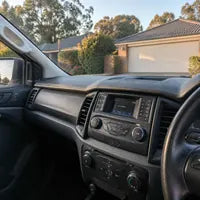
“The screen looks like it belongs in the dash and CarPlay connects before I leave the driveway. The instructions were clear and support answered the one question I had.”
— Michael R.
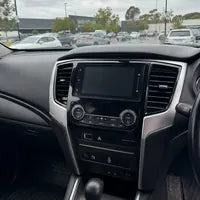
“I was worried about losing the factory camera, but it came straight up on the new display. Everything arrived labelled and ready to plug in.”
— Sarah T.
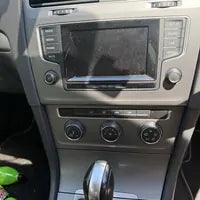
“A much bigger improvement than I expected. Maps, calls and music are easier to use, and the dashboard still looks tidy.”
— Daniel K.
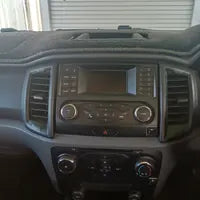
“Installed it over a Saturday morning. The vehicle-specific plugs saved a lot of guesswork and the steering-wheel controls worked immediately.”
— Chris W.
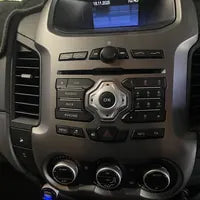
“The team checked my dash photos before dispatch and sent exactly what the car needed. That extra confirmation made ordering much easier.”
— Amanda J.
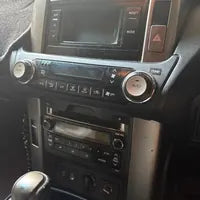
“Wireless Android Auto has been faultless. The screen is bright in daylight and the audio controls feel noticeably quicker than the old unit.”
— Luke P.
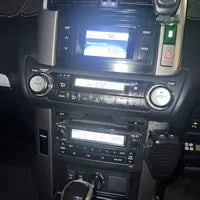
“I am not experienced with car audio, but the guide broke the job into manageable steps. Phone support was patient when I got stuck on one trim clip.”
— Nathan B.
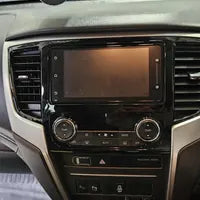
“The reverse-camera image is larger and easier to see now. I also like having Spotify and navigation together instead of balancing my phone on a mount.”
— Melissa H.
“It looks factory fitted. Friends who know the car did not realise the screen was aftermarket until I showed them CarPlay.”
— James C.
“Delivery was fast, every connector matched, and no factory wires needed cutting. That was the main reason I chose Novo Nav.”
— Renee G.
“The Premium model feels very responsive and the extra storage is useful for offline maps. Sound quality is cleaner than the original radio.”
— David M.
“I sent a photo because I was unsure which fascia I had. The team confirmed it quickly and the supplied panel matched the surrounding trim well.”
— Andrew S.
“Calls are clearer, the microphone works well and the steering buttons still control volume and tracks. Exactly what I wanted from the upgrade.”
— Karen L.
“The installation took me longer than the guide estimate, but support stayed with me until it was finished. The result was worth the effort.”
— Ben F.
“CarPlay reconnects automatically every time. It has made an older car feel current without changing the parts of the dashboard I liked.”
— Michelle A.
“The factory settings and camera were my biggest concerns. Both were retained and the team explained the limitation that applied to my specific vehicle before I ordered.”
— Paul D.
“The screen fit is excellent and there are no awkward gaps around the fascia. It feels like a properly matched kit rather than a universal radio.”
— Jason N.
“I use navigation daily for work and the larger display is a major improvement. Touch response is quick and the screen remains readable in afternoon sun.”
— Emily V.
“Good honest advice before purchase. They did not promise something my car could not do, and the kit performed exactly as described.”
— Scott R.
“My installer commented that the labelled harnesses made the job straightforward. Everything required was in the box.”
— Tanya E.
“I chose Standard and it does everything I need: wireless CarPlay, reverse camera and steering controls. Great value for the complete kit.”
— Mark H.
“The upgrade transformed the cabin. Music starts automatically, maps are easy to follow and I no longer need a phone holder on the windscreen.”
— Peter C.
“Customer service was the standout. I sent a photo during installation and received a useful answer instead of a generic reply.”
— Nicole B.
“The original amplified audio still works and sounds better after adjusting the equaliser. I was pleased I did not need to replace speakers or the factory amp.”
— Adam W.
“A clean installation with all of the everyday controls retained. The ordering questions were simple and the correct adapters arrived the first time.”
— Rebecca J.
“I compared several kits and chose this one because the compatibility information was specific to my car. The finished result matches the photos.”
— Simon G.
“The camera switching is quick and the display is much clearer than the old factory screen. Parking is easier, especially at night.”
— Matthew L.
“Everything feels properly integrated. The screen powers up with the car, remembers my phone and the steering buttons behave normally.”
— Kylie P.
“I appreciated being able to upload dashboard photos. It removed the uncertainty about ordering online for a vehicle with several factory-radio versions.”
— Craig S.
“Two months in and it has been completely reliable. Wireless CarPlay, calls, radio and the factory camera all work as expected.”
— Jordan T.